

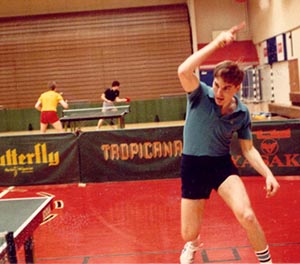
 Photo by Donna Sakai
Next Blog - Tuesday, Aug. 9
It’s been a great eleven days here at the USATT Supercamp, but now I’m off for my annual “vacation.” Normal people vacation at the beach, camping, Disneyworld, or some other sane thing. Me, I go to an annual science fiction writing workshop, July 22-30. So Friday morning, after taking Matt Hetherington to the airport at 7:15AM (see below), I’ll be driving up to Manchester, NH (four hours), for my “vacation.” I drive back to Maryland on Saturday afternoon, July 30 (I’m dreading the eight-hour drive), and flying out to Houston early the following morning to coach at the Junior Olympics, returning on Aug. 4. After that I'll need a few days to catch up on work, plus I'll be back to coaching at our summer camps. I’ll be back on my regular blogging schedule, Mon-Fri, starting Tuesday, Aug. 9, with the usual blog and other segments.
USATT Supercamp - Day Eleven
By Larry Hodges
This is my last day here; I’m leaving tomorrow morning for my annual vacation. But it was a really full day! We started with physical training - and today’s was short and simple. After jogging half a lap and walking the rest to loosen up, and some stretching, we did a timed mile. Below are the times. Nope, they aren’t good enough; we need more in the 5:30 range. We’ve been on the players about this, and expect to see improvement over time.
|
|
Name |
Time |
Age |
|
1 |
Sharon Alguetti |
5:54 |
14 |
|
1 |
Steven Chu |
5:54 |
15 |
|
1 |
Andrew Song |
5:54 |
16 |
|
4 |
Michael Tran |
5:55 |
14 |
|
5 |